 GlyphIndex
Convert HTML entities without running markup
Convert between characters and HTML references, read conversion warnings, and copy the form your editor needs. Markup stays visible as text.
ON THIS PAGE
Choose encode or decode
Open HTML Entity Converter and choose a conversion mode. Encoding writes character-reference notation; decoding turns that notation back into text. The tool shows the result literally rather than rendering an HTML page.
| Task | Input | Expected text |
|---|---|---|
| Decode a named reference | & | & |
| Decode a hexadecimal reference | A | A |
| Decode a decimal reference | A | A |
| Text → named HTML entities | < & > | < & > |
A semicolon closes each reference in these examples. GlyphIndex uses a deliberate text-conversion policy and reports unsupported or malformed spellings instead of promising to reproduce every error-recovery rule of an HTML parser. Read the feedback alongside the output, especially when converting a string obtained from another system.
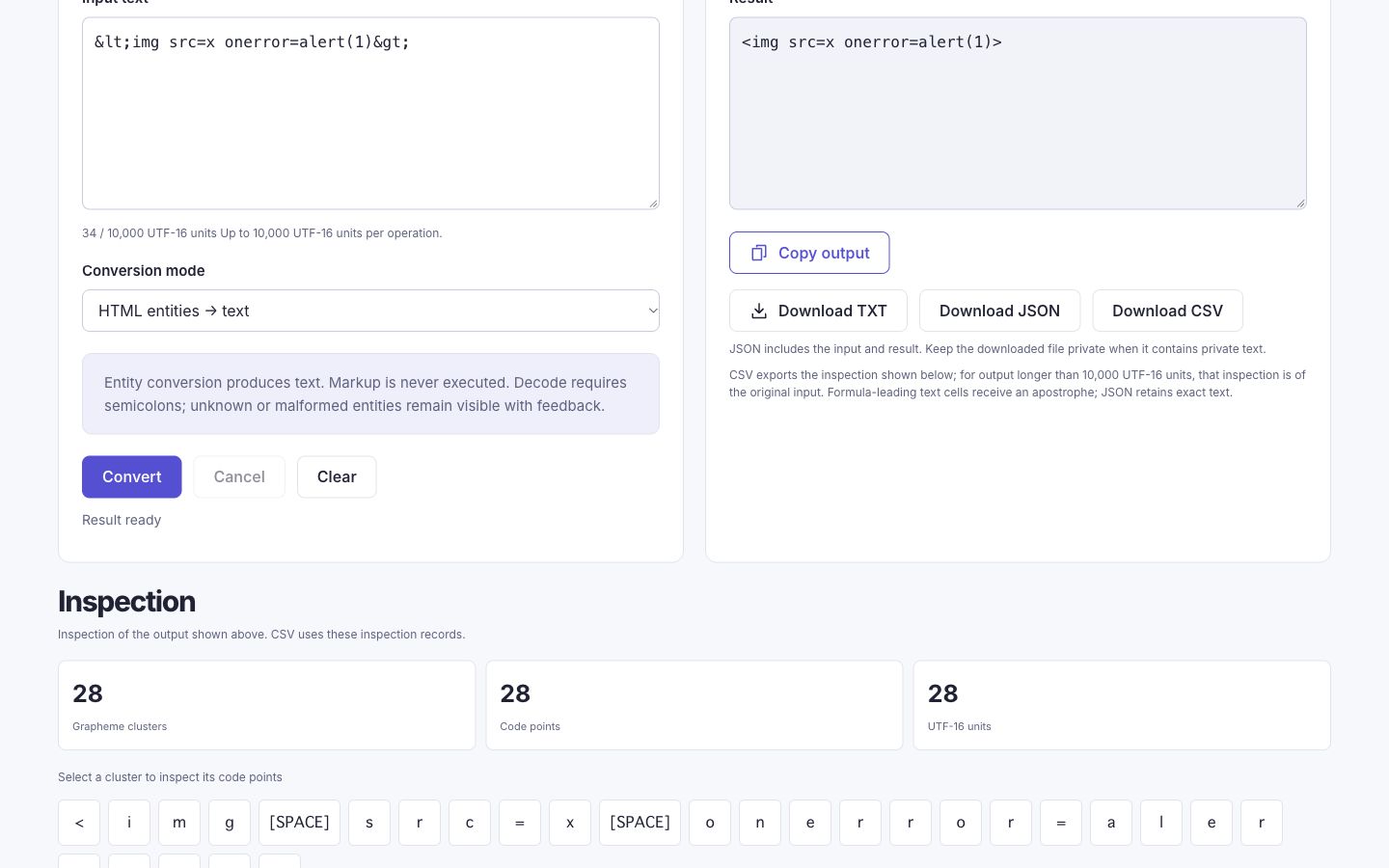
Review output as literal text
<img src=x onerror=alert(1)><img src=x onerror=alert(1)>The angle brackets should stay visible in the result. The sample should not load an image or show an alert. If you move the result into another application, that application’s parsing rules apply. See checking text before publishing for the difference between a plain-text field and HTML source.
Read malformed-input feedback
| Input to review | Why it needs attention | Next action |
|---|---|---|
| ¬ARealGlyphIndexEntity; | The name is not a supported HTML reference. | Correct the spelling or retain it intentionally as literal text. |
| � | The number exceeds the Unicode scalar range. | Check the intended code point rather than accepting a replacement silently. |
| � | A surrogate value is not a Unicode scalar value. | Use a valid complete code point, not half of a UTF-16 pair. |
| & | The final semicolon is missing. | Add the intended semicolon or keep the text unchanged. |
If some references convert and others need attention, compare the output with the original before copying. A warning belongs to the exact location or token it describes; it is not an instruction to remove every ampersand. Ordinary prose can contain an ampersand that was never meant to start an entity.
Issue locations are zero-based UTF-16 offsets: the first unit is at 0. In A😀 &bogus;, the ampersand starts at offset 4 because A uses one unit, 😀 uses two, and the space uses one. Use the offset to find the reference that needs attention, rather than counting visible glyphs.
Decoding processes one layer: &lt; becomes <. Numeric control values are flagged and kept as their scalar values rather than receiving an HTML parser’s legacy remapping. For example, € produces U+0080 with control-value feedback. This deliberate policy is another reason to inspect a result instead of treating the tool as a browser parser.
Copy the form you actually need
For a plain-text note, you usually want the displayed character rather than its entity spelling. For an HTML source workflow, you may need encoded notation. Choose based on the destination, then paste into a draft and check the result. Do not repeatedly encode an already encoded string unless that extra representation layer is intentional.
One character: ≤
Named reference spelling: ≤
Hexadecimal reference spelling: ≤Sources and method
- WHATWG HTML: Named character references — Authoritative named-reference mappings; GlyphIndex documents its own converter policy separately.
- Unicode: UTF-8, UTF-16, UTF-32 and BOM — How code points are represented as encoding units and bytes.